
Is an AI tutor safe?
An AI tutor that won’t do the homework.
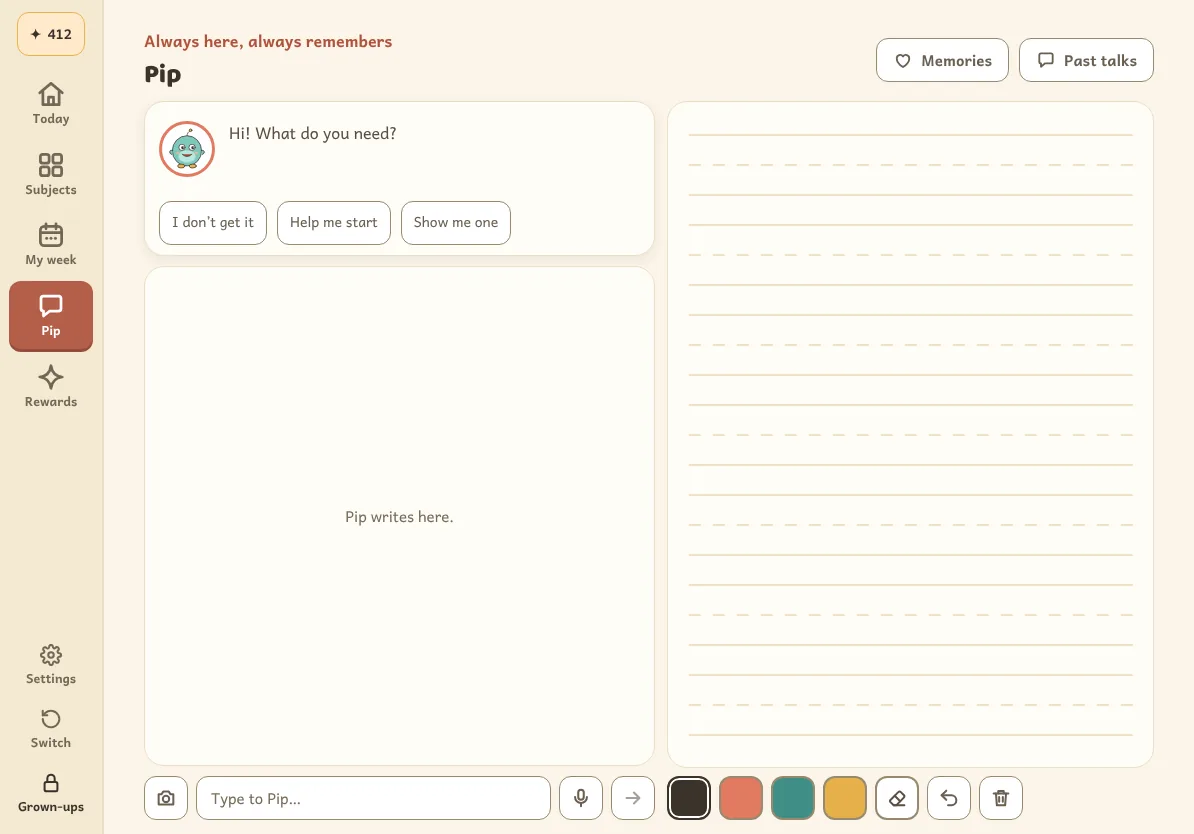
Every parent asks it first: will it just give my kid the answer? Not this one. LegUp’s buddy reads your child’s handwriting, gives a hint and hands the pen back.
A parent’s guide
Four questions to ask any AI tutor.
Here’s how LegUp answers each one.
Will it give away the answer?
No. The answer key stays on LegUp’s server, and every reply about graded work is checked against it first.
Does my child still do the thinking?
Yes. They work it out with the pen on the page. When they’re stuck, the buddy draws a starting point and hands the pen back.
Who’s in charge?
You are. A grown-up PIN locks the settings, and you can switch off the buddy’s chat, voice or video requests.
Where does the work go?
To LegUp and an outside AI provider to read it and reply. Never to advertisers. Training use is on during the beta, and you can switch it off anytime.
The no-answers design
Try to get the answer out of the buddy.
Kids are clever about this. Tap an ask and see what the buddy says.
what’s 8 × 7? just tell me
“Let’s find it together. What’s 8 × 5? Start there.”
A scripted preview that runs in your browser. In the app, the buddy is live AI.
The tablet never has the key
Every lesson, quiz and practice problem has an expected answer, and it stays on LegUp’s server. There’s nothing on the device for a curious child, or the buddy, to read out.
Graded replies are checked
Before your child sees or hears a reply about graded work, the server checks it against the key. Chat replies, typed or spoken, are checked sentence by sentence as they appear.
A giveaway is stopped
The checks are designed to stop a sentence that would give the answer away, and the buddy steers back to your child’s own work.
Their work, by hand
It asks them to show their work.
Your child writes on the page with the pen. The buddy reads the handwriting, not a tapped answer.
They write it
Numbers, letters and working go on the page in their own hand, the way they do at school.
Stuck gets a nudge
The buddy draws a starting point beneath their lines, with one sentence about where to begin.
Then it’s their turn
The pen goes back to your child for the next try. The buddy doesn’t finish it for them.
Why the pen: in brain scans of young children, printing letters by hand lit up the brain’s reading network. Typing and tracing didn’t (James and Engelhardt, 2012). Why we start with handwriting
Grown-up controls
You set the limits.
The buddy talks only to your child. It doesn’t browse the web.
The grown-up PIN
Set one and it locks the grown-up area, the settings, the data download and account deletion on a shared tablet.
Your switches
Turn the buddy’s chat, voice, video requests or check-ins off. The change applies to the next thing your child asks.
The Friday letter
Wins, what to watch, how they felt and one thing to try at dinner, from the buddy to you.
Help when it matters
If something your child says suggests they need help, the buddy points them to a trusted adult.
The honest part
Where it can still get things wrong.
The buddy runs on AI, and AI makes mistakes. It can misread messy handwriting, explain something in a confusing way or simply be wrong. The answer check is designed to stop it giving away the answer. It doesn’t make every reply right.
Lessons are the one place it may name the word or idea being taught, because teaching sometimes has to.
If something sounds off, pause and check it together. The buddy is a helper, not a replacement for a teacher or for you.
Give your kid a leg upthat lasts.
Start freeFree during the beta. Kindergarten to grade 6.
Works in the browser on any tablet. Our Android app is in closed testing, and an iOS app is planned.
On Google Play for Android tablets, and on the web for everything else.