
For parents
You stay in the loop without sitting next to them.
Every Friday the buddy writes you a letter about the week. The family dashboard shows the rest, and a grown-up PIN keeps the settings yours.
The Friday letter
A two-minute read about their week.
The buddy knows what your child wrote, where they got stuck and what made them light up. On Friday it tells you, in its own voice.
It comes by email and stays on the dashboard. LegUp writes on Fridays, plus up to two short notes a week if something important comes up. Never every day.
Wins
What clicked this week, in plain words.
Watching
The one step that keeps slipping, so it doesn’t surprise you at school.
Heart
How they seemed to feel about the work.
Spark
A new interest the buddy noticed.
Next
One small thing to try at dinner or in the car.
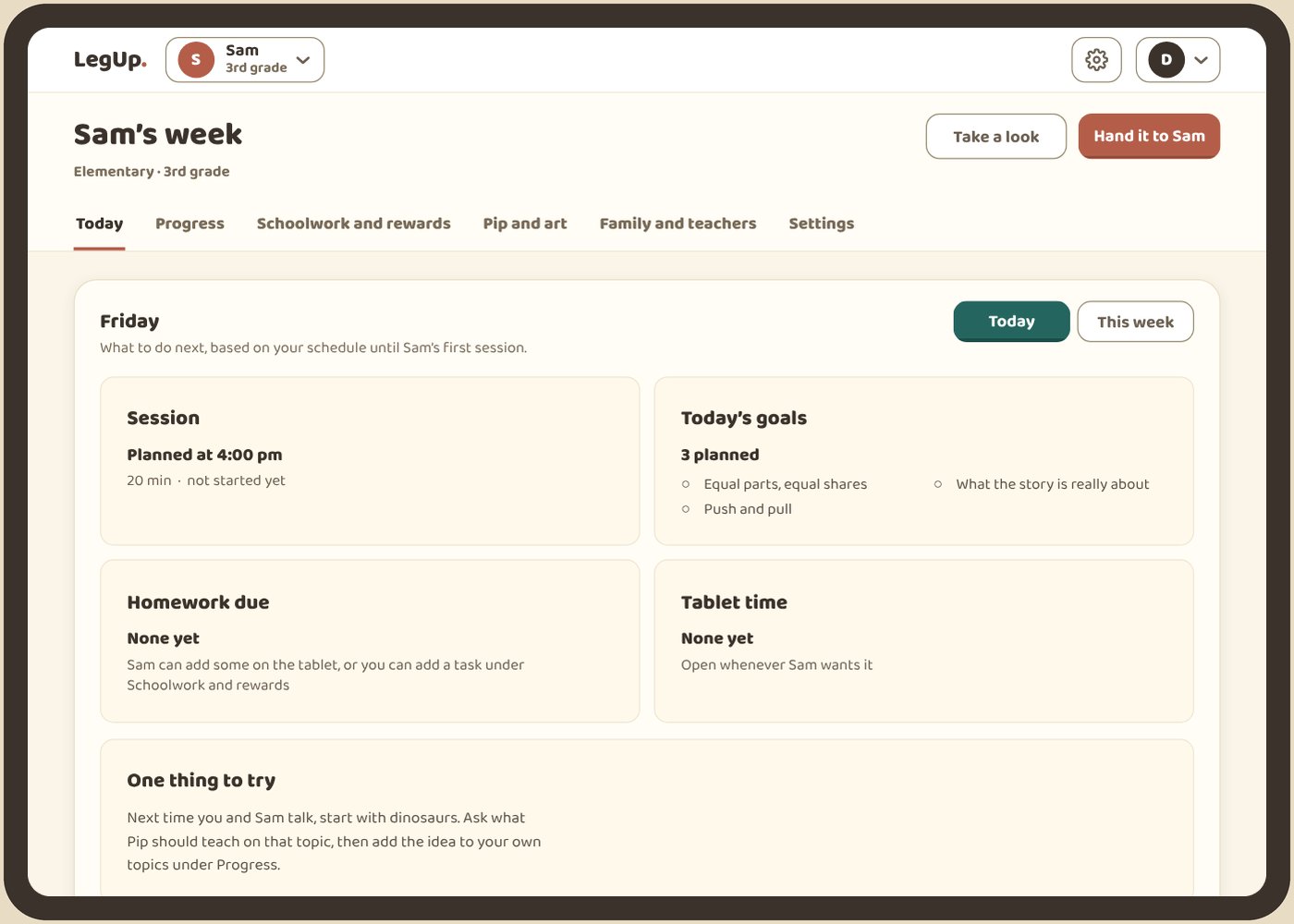
The family dashboard
Everything they did, and every setting, in one place.
It’s your side of the app, separate from your child’s and behind your PIN.
See the week
Today’s session, concepts practiced, what’s learned and what’s shaky. A monthly report when you want the longer view.
Shape the plan
Subjects, schedule, screen time, voice and chat, video requests and rewards. Turn each one on or off to fit your family.
Know the buddy
Review what the buddy remembers about your child and remove anything you’d rather it forgot. Ask it about the week yourself.
The grown-up PIN
A shared tablet, with your settings locked.
You pick a four- to six-digit PIN during setup. Your child keeps learning. The grown-up side stays closed.
It guards the grown-up side
The dashboard and protected settings ask for it before anything changes.
It guards training consent
Using your child’s work to improve LegUp is on during the beta. Once a PIN is set, only the PIN can change it.
It guards their data
Download or delete your child’s learning history from the dashboard, behind the PIN.
Getting started
Set up in four steps.
You do the first three. Your child does the fun one. Free during the beta.
Sign in with email
We email you a six-digit code. Your child doesn’t need an email address or a password.
Add your child
Their first name and grade, then a curriculum, interests and a schedule.
Choose your PIN
Four to six digits. It locks the grown-up side on a shared tablet.
Draw a buddy together
Your child draws it and names it. Then the first lesson starts.
How it grows
The grade you pick shapes everything.
The lessons, the look and the buddy’s voice all change with their grade. A kindergartner and a sixth grader don’t see the same screens.
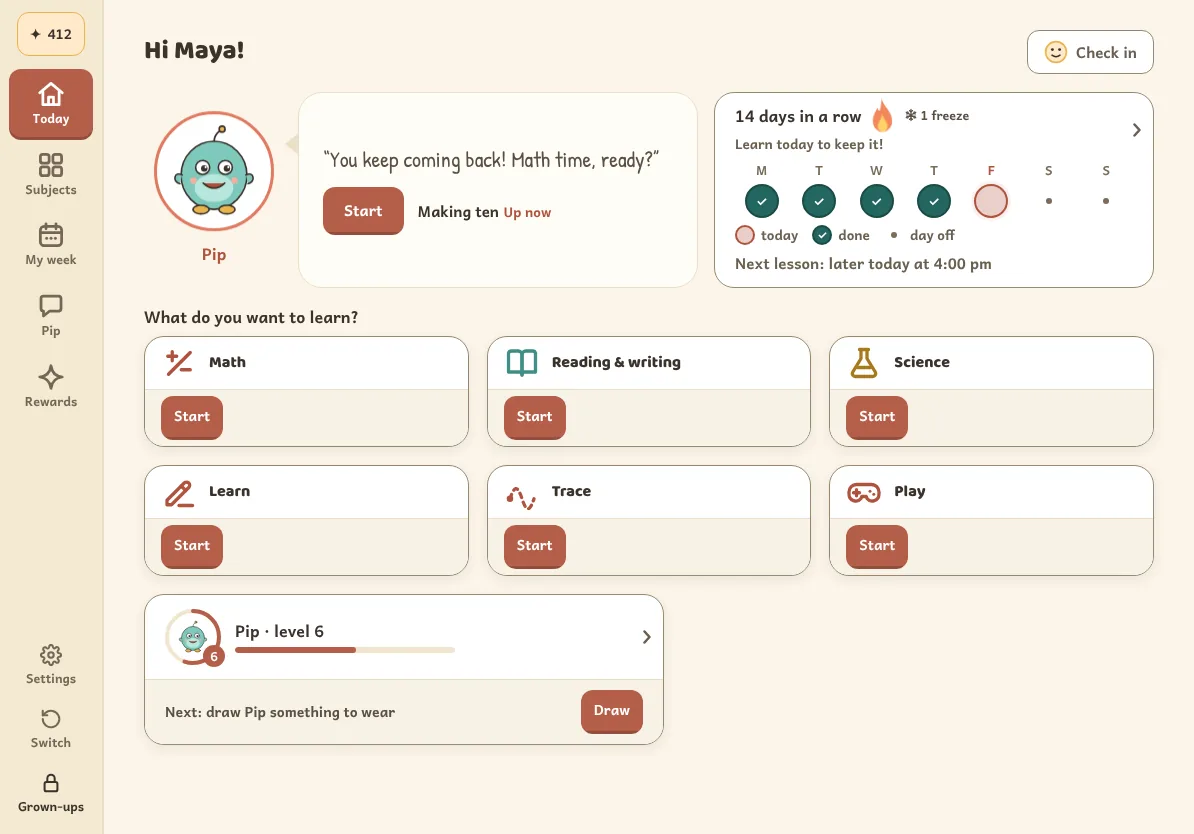
Kindergarten to grade 2
A big buddy, short labels and pictures for every question. Letters traced with the pen, counting, sounds and first science.
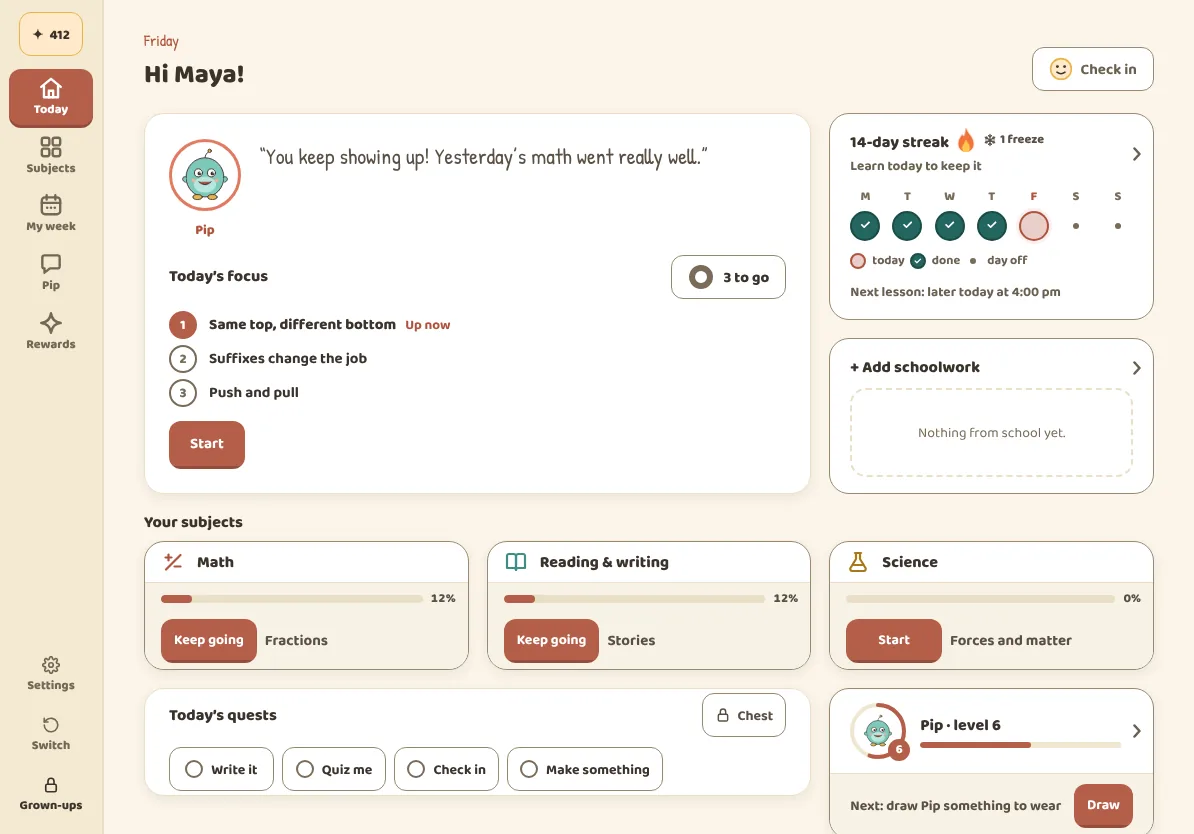
Grades 3 to 6
A calmer screen, longer problems and more of their own writing. Fractions, reading with evidence and science that explains why. The buddy asks for reasons, not just answers.
Questions
What parents ask us.
Is the PIN the same as signing in?
No. Signing in with email opens your family account. The PIN is a second lock on the grown-up side, so a child on a shared tablet can’t change your settings.
Can I get a copy of my child’s information?
Yes. Download or delete it from the dashboard, behind the PIN. The privacy policy and the account deletion guide explain what’s covered.
Does the buddy replace me or their teacher?
No. It teaches one idea at a time and checks every reply about graded work against an answer key your child never sees. Like any AI, it can misread handwriting or explain something badly, so you and their teacher still matter most.
Should we buy a new tablet first?
No. Start on the tablet you have. The device guide has a five-minute test for your tablet and pen.
Does the demo on this site set up an account?
No. The website demos are scripted previews with no live AI. Nothing you draw there is saved or carried into setup.
Give your kid a leg upthat lasts.
Start freeFree during the beta. Kindergarten to grade 6.
Works in the browser on any tablet. Our Android app is in closed testing, and an iOS app is planned.
On Google Play for Android tablets, and on the web for everything else.